> ## Documentation Index
> Fetch the complete documentation index at: https://docs.nyru.net/llms.txt
> Use this file to discover all available pages before exploring further.
# Attack Incidents
> Our comprehensive monitoring system provides detailed visibility into all DDoS attack incidents targeting your infrastructure. This documentation explains how to track, analyze, and respond to attacks using our Firewall Panel and notification systems.
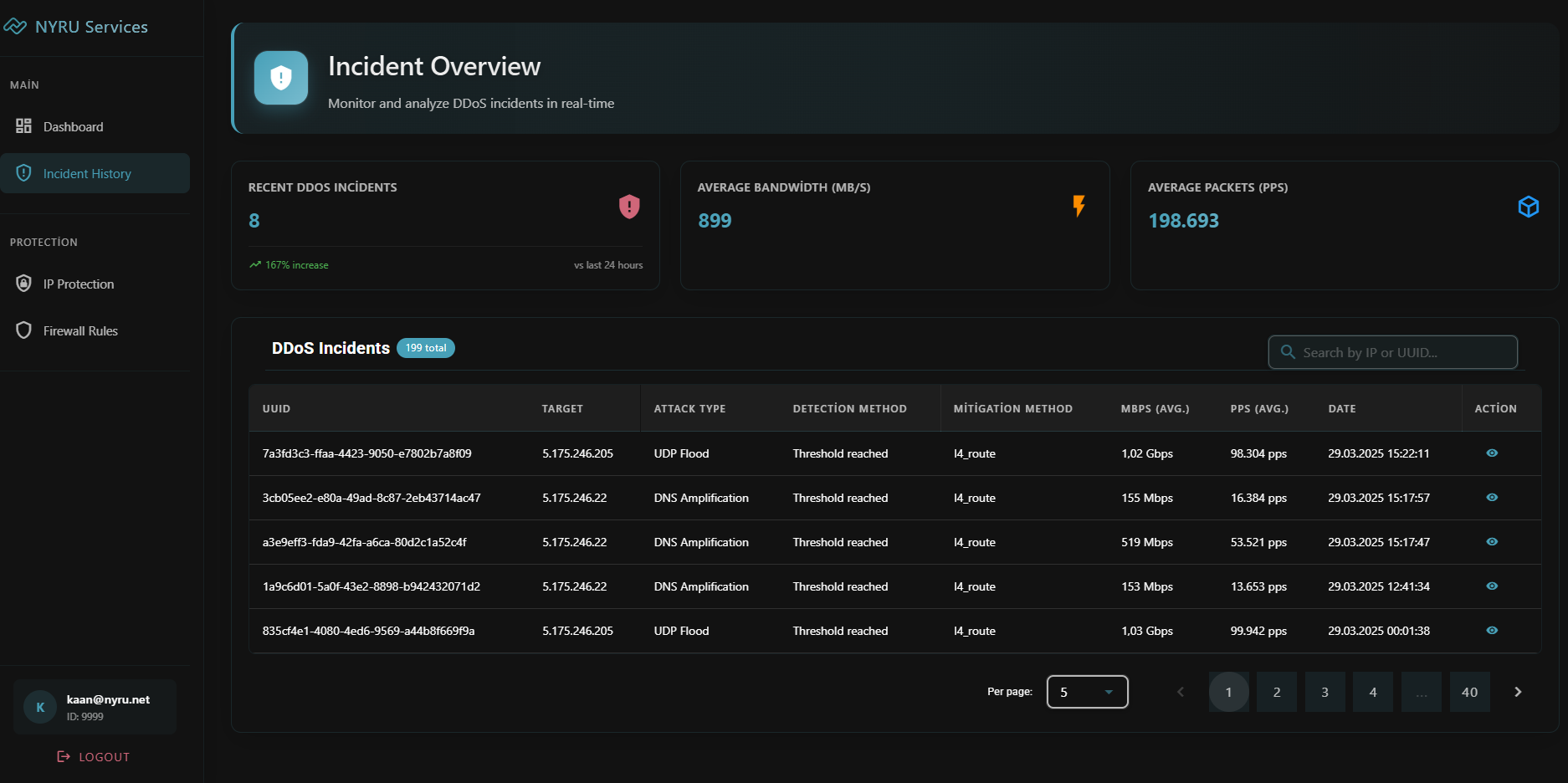
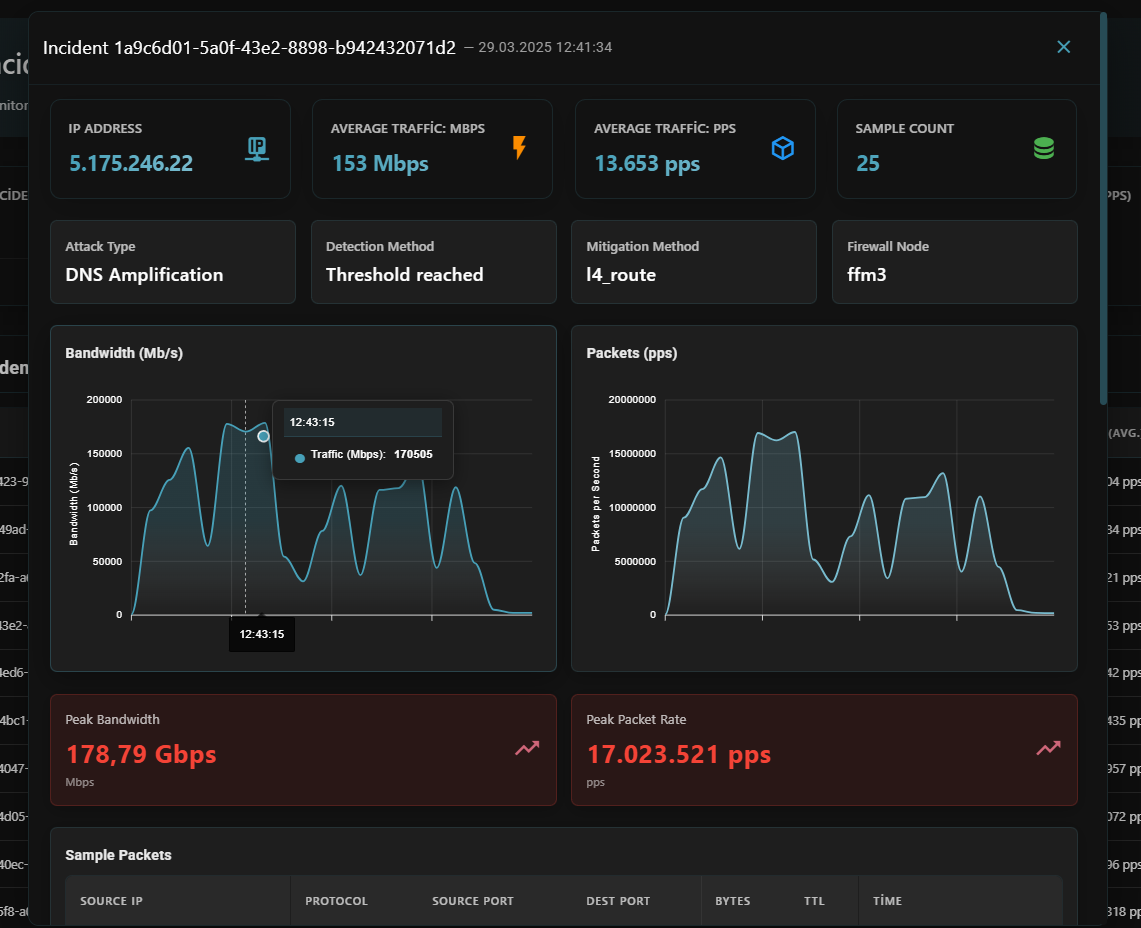
The Attack Incidents section in our Firewall Panel displays a complete chronological record of all attacks, including:
* **Target Information**: Affected IP addresses and services
* **Timestamp Data**: Precise date and time of each attack
* **Attack Metrics**:
* Average traffic volume (in Mbps and PPS)
* Maximum traffic peaks (in Mbps and PPS)
* Attack duration
* **Attack Classification**: Predominant attack type identification
* **Packet Analysis**: Detailed samples showing:
* Protocols utilized (TCP/UDP/ICMP)
* Source and destination ports
* Packet sizes and byte counts
This information allows you to understand attack patterns and adjust your protection settings accordingly.
 ## **Real-time Notifications**
Stay informed about ongoing attacks even when you're away from the dashboard:
* **Discord Integration**: Configure webhook notifications to receive real-time alerts on your Discord server
* **Customizable Alerts**: Set thresholds for notification triggers based on attack size or duration
* **Graphical Representations**: Receive visual traffic graphs showing the attack profile
## **Real-time Notifications**
Stay informed about ongoing attacks even when you're away from the dashboard:
* **Discord Integration**: Configure webhook notifications to receive real-time alerts on your Discord server
* **Customizable Alerts**: Set thresholds for notification triggers based on attack size or duration
* **Graphical Representations**: Receive visual traffic graphs showing the attack profile
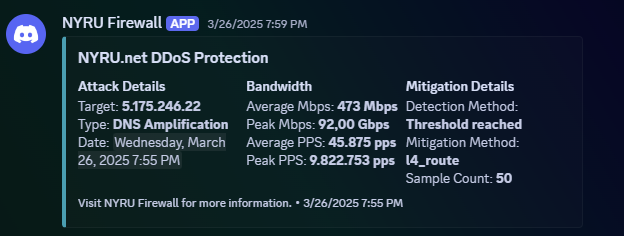 To set Discord Notification, go to [Firewall Dashboard](https://firewall.nyru.net/dashboard) (If you dont know how to log in, see [Introduction Page](https://docs.nyru.net/firewall-panel/introduction))
