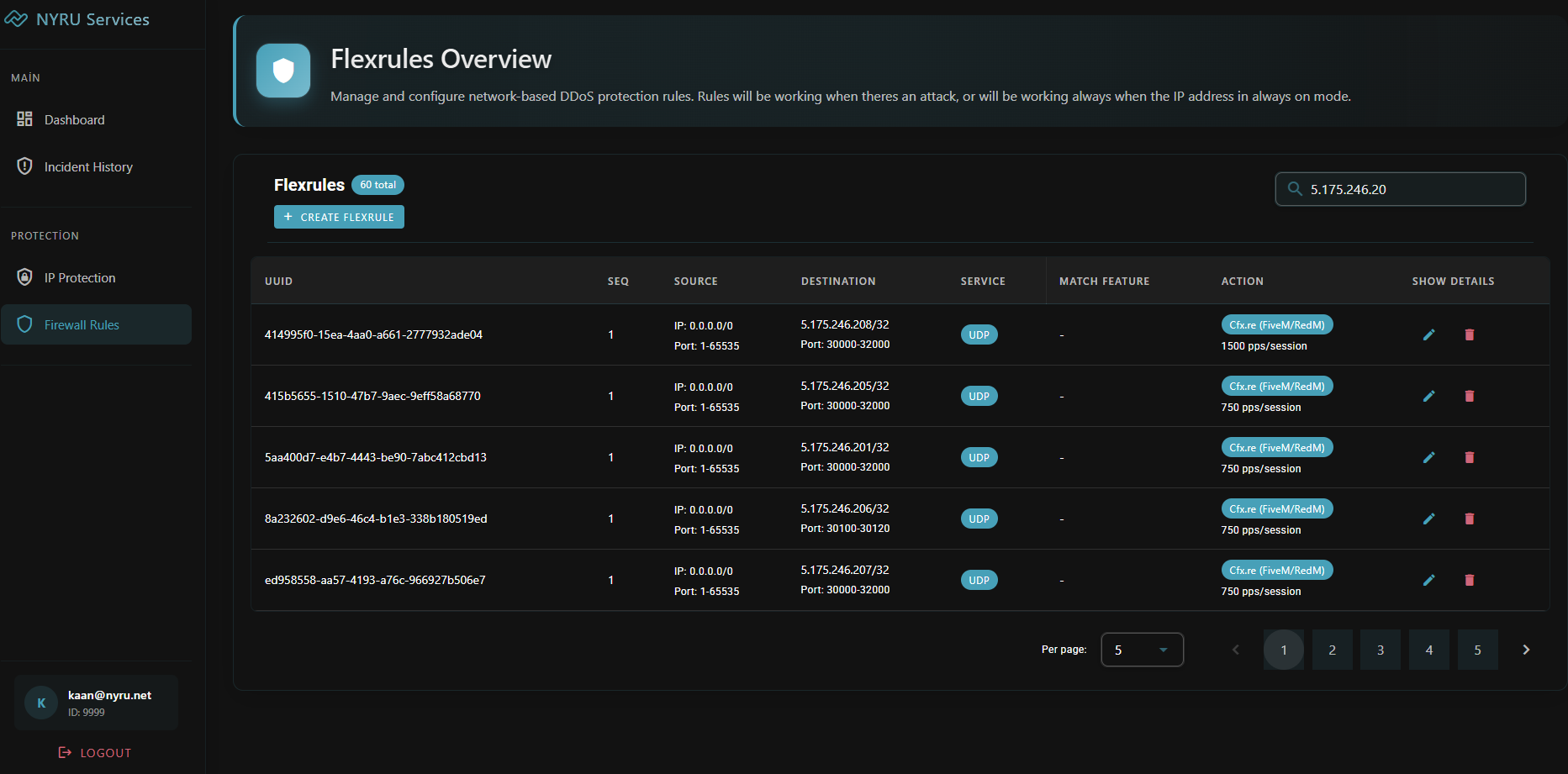
Ready Rules
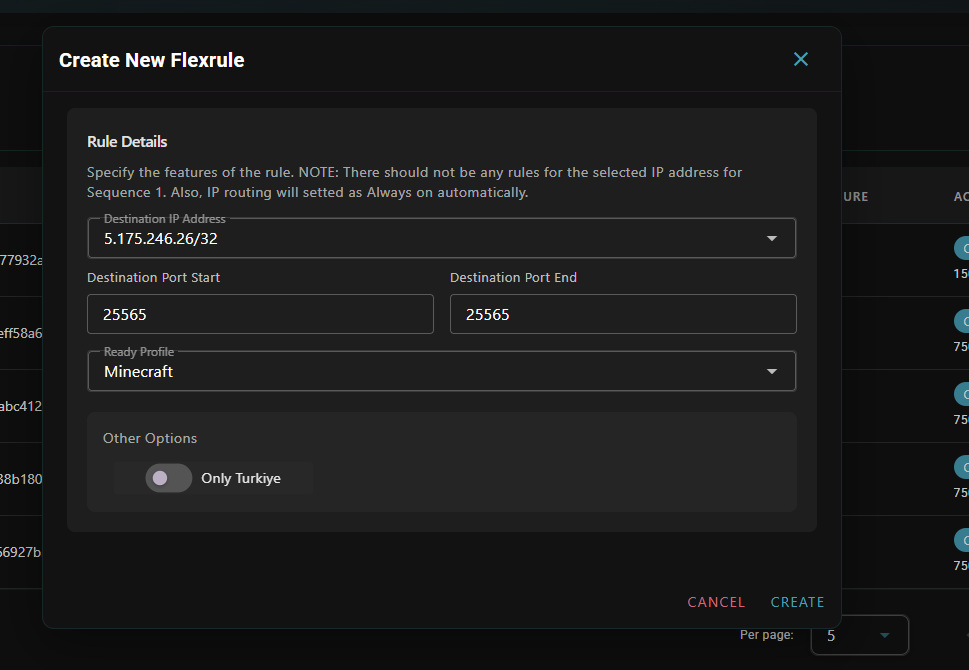
For quick protection setup:- Simple Configuration: Just select port, application profile, and destination IP
- Instant Activation: Rules become active in less than 1 second
- Common Protection: Pre-optimized profiles for typical attack scenarios
Advanced Rules
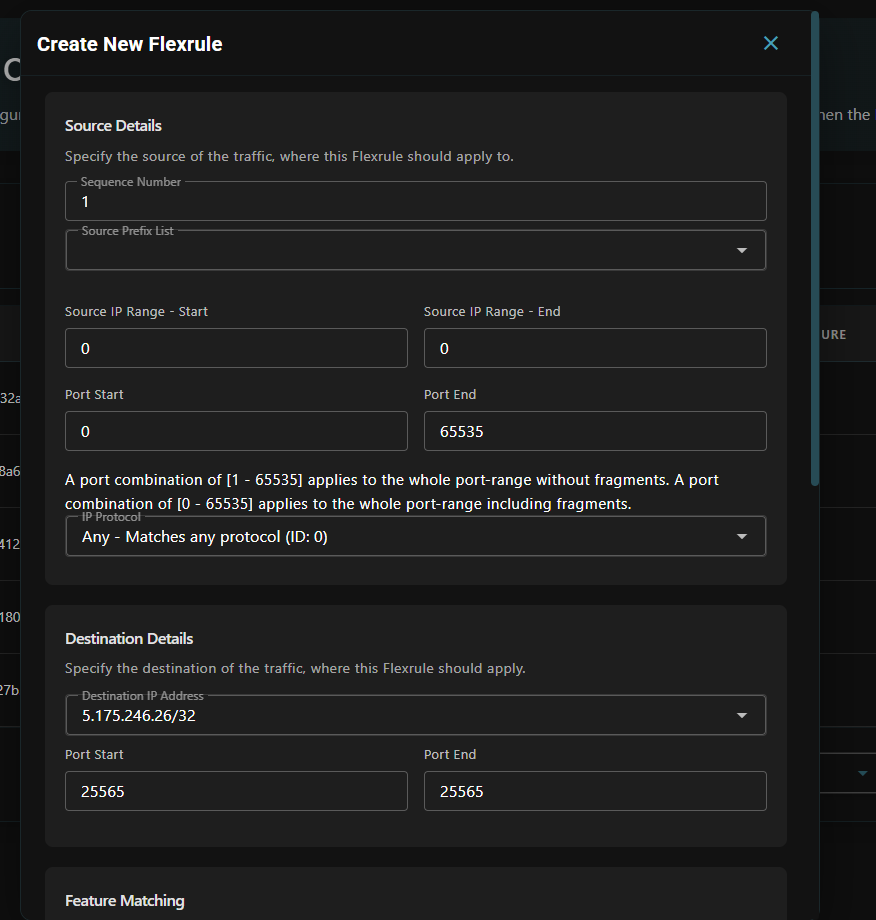
For customized security requirements:Packet Filtering Options
- Sequence Number: Rules are processed according to sequence numbers
- Protocol Selection: Choose from TCP, UDP, ICMP, or over 140 different protocols
- Source Prefix Lists: Define specific IP ranges
- Destination Settings: Target specific IP addresses and ports
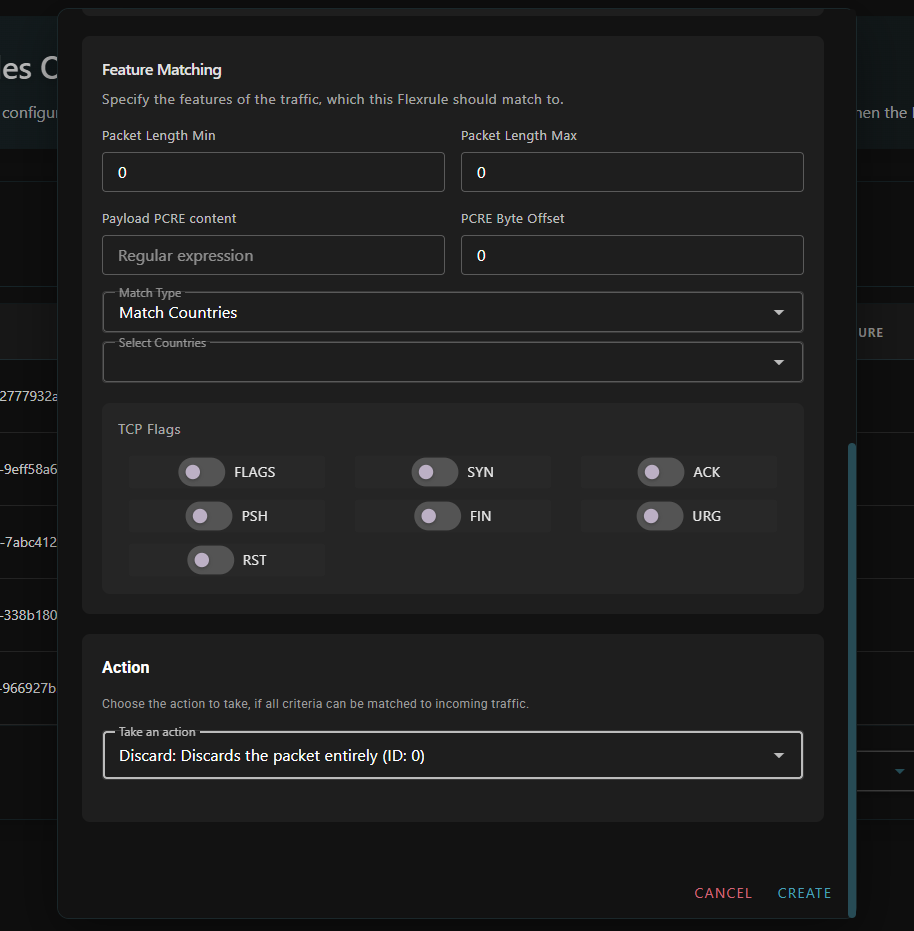
Deep Inspection
- Packet Length: Filter packets by size
- Payload Analysis: Content-based filtering
- Geographic/ASN Filtering: Control traffic by country or AS number
- TCP Flag Control: Define specific TCP flag combinations
Available Actions
Choose how to handle matched traffic:- Discard: Block matching packets completely
- Accept with Destination Ratelimit: Allow traffic with limits to destination IP
- Accept with Source Ratelimit: Allow traffic with limits from source IP
- Accept with Rule Limit: Apply total traffic limit for the specific rule
- Custom Configuration: Define completely customized behavior
- Set Application Profile with Source Ratelimit: Apply application profile with source limits
Sequential Processing
Firewall rules are processed according to sequence numbers:- Closed Chain Requirement: Rules should form an uninterrupted sequence (e.g., 1,2,3,4,5)
- First Rule: Every destination IP prefix starts with sequence number one (1)
- Processing Flow: Open chains (e.g., 1,2,4,5) stop processing after the last matching rule
- Rule Limit: Maximum of ten (10) rules due to system limitations